Share the progress
Post job updates and photos so the homeowner can follow what happened and what comes next. Connect the update to the relevant project.

Your client should know where to find the latest update, the next selection and the documents that matter. TrueSite gives homeowners their own project login while you organize the work from the contractor's view.
Explore a sample job before you choose. No card required for the demo.
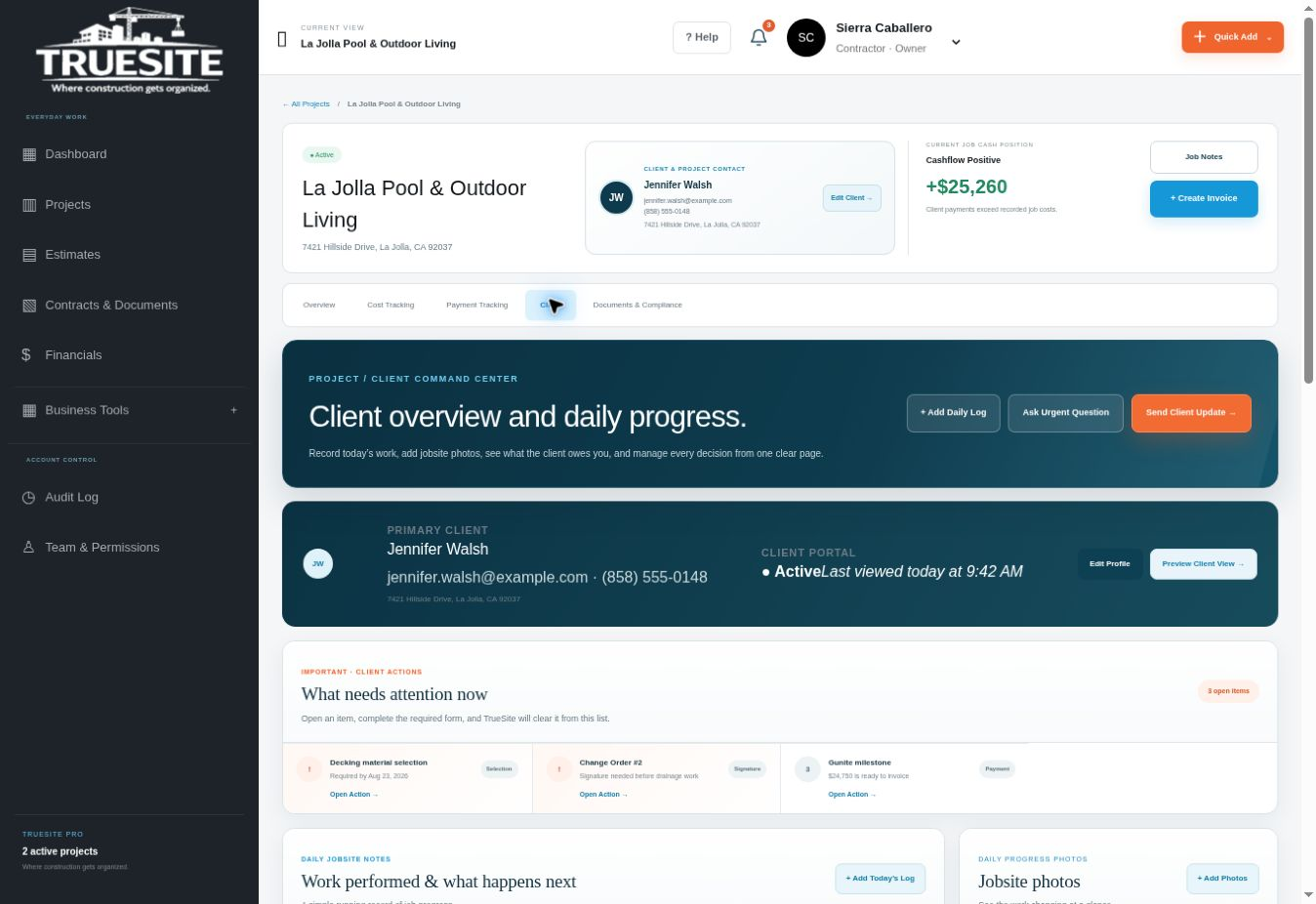
You need the operating details behind the job. Your homeowner needs to understand progress, decisions and the records shared with them. A construction client portal gives that conversation a consistent home instead of scattering it across messages and attachments.
Post job updates and photos so the homeowner can follow what happened and what comes next. Connect the update to the relevant project.
Keep client selections and project questions alongside the work. A clear item and deadline help the homeowner understand when their input is needed.
Organize contracts, city plans, inspection reports and other important job documents so the homeowner can find the records you have shared.
A homeowner portal should show the client's project information. Internal company expenses, payroll and private operating records belong in the contractor's workspace.
Explore this area in the demo →| Homeowner question | Where the record belongs |
|---|---|
| What happened on my project? | Progress updates and job photos |
| What do I need to choose? | Client selection list and decision deadlines |
| Which payment comes next? | Milestone schedule and shared payment information |
| Where is the inspection report? | The project's shared document list |
For an owner-operator, every search through an old message takes time away from running the job. A shared project record gives the homeowner a place to start when they need the latest plan, update or payment information.
The portal also supports a more professional handoff between conversations. If you discuss a tile choice on site, record the decision against the item. If an inspection report arrives, place it with the job's documents. The homeowner can return to the same organized project view.
Explore the sample from both sides before choosing TrueSite. The contractor workspace and homeowner portal use the platform's actual interface components with fictional project data; the demonstration does not send real messages or process payments.
Built by David Caballero, a working general contractor and founder of TrueSite. Read the founder story →
It is a project-facing area where a homeowner can find updates, photos, selections, payment information and documents shared by their contractor.
The client experience is intended for shared project information. Internal business costs, payroll and company records belong outside the homeowner's view; configure and verify sharing permissions when setting up real accounts.
Yes. Open the free sample client portal, explore its project tabs, and switch back to the contractor's sample workspace. The sample does not require a payment card.
Explore the platform, then choose the plan for your active projects.